Operations / 09 of 15
Team & Pod Assignment Systems
Automatically assign team members to clients based on a range of factors, from capacity to availability and pending holidays/leave
How it runs
Trigger
New client or new work
Step 01
Read the constraints
Feeds — 3 converging
- Current load per person
- Skills and pod fit
- Approved leave
Approved leave is the feed that makes it credible
Step 02
Rank candidates
Assign
Assign automatically
Human pick
Slack shortlist, human picks
Step 03
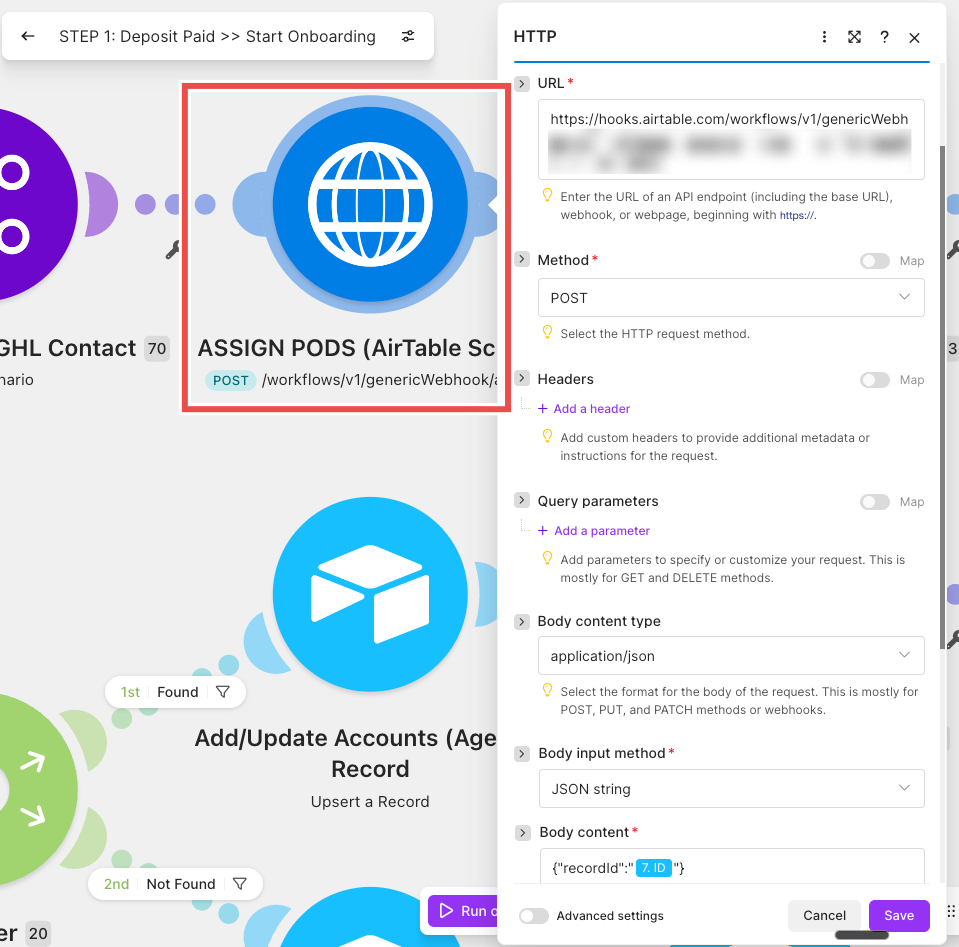
Write the assignment back
Step 04
Notify assignee, full context
What it is
Assignment decided from actual data, meaning who's carrying what, who has the skills, and who's off next week, rather than from whoever the delivery lead thought of first.
You need this if assignment happens in someone's head, load is unevenly distributed, and nobody knows by how much until a good person burns out or a client gets dropped.
If you're already tracking capacity, this closes the loop.
The number stops being a report you look at and becomes the input to the decision.
The actual build

What it does for you
Work gets distributed off real load instead of instinct
so you find the spare capacity you're already paying for.
Approved leave gets respected automatically
so nobody gets assigned work they'll be away for.
Assignment becomes a 10-second Slack click
which removes the delivery lead as the bottleneck on starting work.
Built and running
School of Bots
Livenow I am able to see which editor has extra capacity… I could properly assign new projects to them. That is kind of the main thing I've noticed, just more clear decisions when it comes to mapping out team capacity.
The Pod Command Center is the single custom surface leadership uses to run capacity, pods and client assignment, consolidating two earlier capacity views. Per-team-member load went 5 → 20 clients (12× capacity). Also CreoSocial and GP Socials, where Braden said:
Want this one built into your business?
Thirty minutes, no deck. We map what you run today and tell you what it would take.