Operations / 12 of 15
Client QA Systems
When the deliverable has been built, show the client and get your response back with a single click
How it runs
Trigger
Deliverable marked ready
Step 01
One-click internal QA: pass/return
Step 02
Post to their channel with asset
Client gate
Client clicks Approve or Revise
If revise
Notes route back to builder
If approve
Marked live and advanced
What it is
The deliverable goes out for approval as two buttons, and whichever the client presses routes it: live, or back to the builder with the notes attached.
You need this if your approval process is an email thread, because every deliverable then costs several rounds of chasing.
Cycle time from "built" to "approved" is where your delivery capacity actually leaks.
If you're already fast at building, this is usually the biggest lever left, because the work was finished on Tuesday and went live on Friday because of a thread.
The actual build
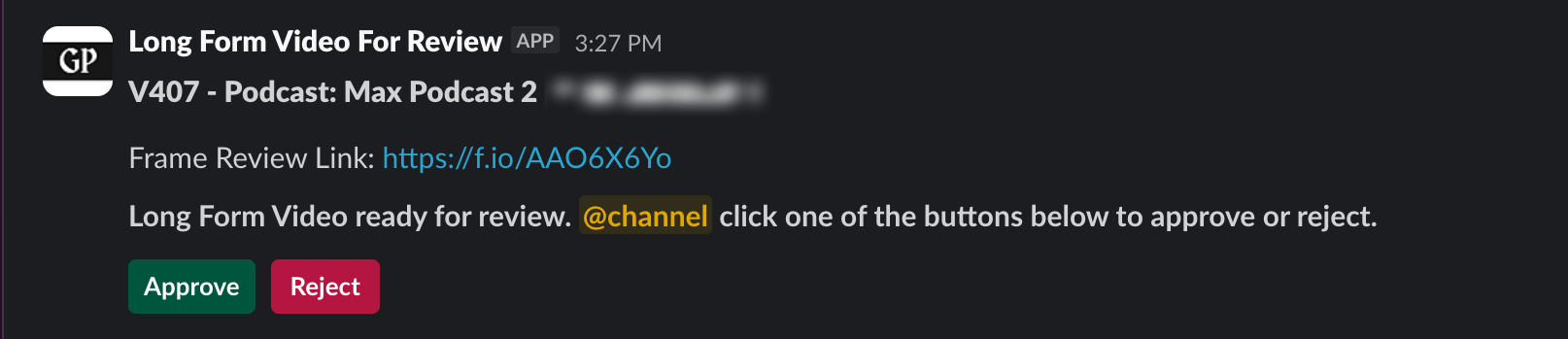
What it does for you
Approval collapses from a multi-day thread to a single click
which raises throughput without anyone working faster.
Revisions arrive attached to the deliverable
so nobody reconstructs feedback from three messages.
The client's part of the process becomes trivial
which is the only way client-side delay ever improves.
Built and running
CreoSocial
StevenLiveonce we check the video, there's one more button we just have to click, and then it gets sent to the client. And from the client side, there's one button they have to click in order to get the video back to us… it's just a few clicks and the video just gets passed around very smoothly, sometimes no back and forth at all.
Running 8+ months, onboarding down to one click, more clients without more admin
Want this one built into your business?
Thirty minutes, no deck. We map what you run today and tell you what it would take.